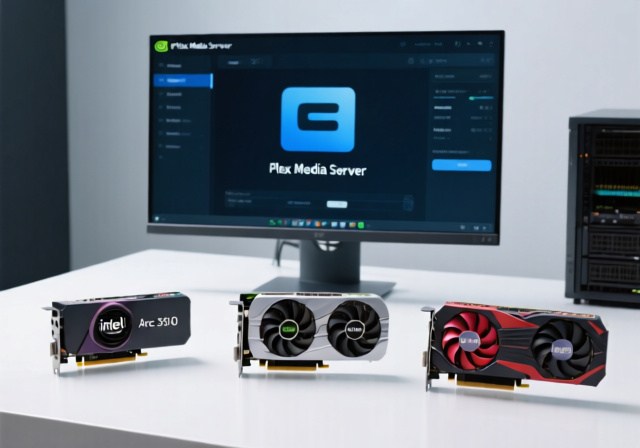
Unlock Seamless Streaming: Choosing the Best GPUs for Plex Transcoding
Are you tired of your Plex media server stuttering, buffering, or causing your CPU to max out every time a friend or family member starts streaming? The secret to a smooth, multi-user media experience lies in hardware transcoding graphic card technology. While your server's central processing unit (CPU) can handle some transcoding, a dedicated graphics processing unit (GPU) equipped with advanced hardware encoders is a game-changer for efficiency, speed, and overall server performance. Modern GPUs, featuring technologies like NVIDIA’s NVENC, AMD’s AMF, and Intel’s Quick Sync Video (QSV) or new Media Engine, are specifically designed to offload this demanding task, ensuring crystal-clear streams without taxing your main processor.
In the world of media servers, transcoding is the process of converting a video file from one format, codec, or resolution to another in real-time. This is essential when a client device (like a phone, smart TV, or web browser) doesn't support the original file's format or if bandwidth limitations require a lower resolution. Without an efficient hardware transcoding graphic card, your server can quickly become overwhelmed, leading to a frustrating viewing experience for everyone. This comprehensive guide will help you navigate the options and identify the best GPUs to boost your Plex server's capabilities, ensuring flawless streaming for years to come.
Why a Dedicated Hardware Transcoding Graphic Card is Essential for Plex
Many users initially rely on their server's CPU for transcoding. While this works for one or two simultaneous streams of less demanding content, it quickly becomes a bottleneck. CPU-based transcoding consumes significant system resources, leading to:
- High CPU Utilization: Your server's CPU can spike to 100%, impacting other server operations and overall system responsiveness.
- Limited Simultaneous Streams: A CPU can only handle a handful of concurrent transcodes before performance degrades, resulting in buffering or degraded quality for users.
- Increased Power Consumption: A CPU working at full tilt uses more power, which can add up for an always-on server.
This is where a dedicated hardware transcoding graphic card comes into play. GPUs are designed with specialized hardware encoders and decoders that are vastly more efficient at video processing than general-purpose CPU cores. These dedicated engines can handle multiple transcodes simultaneously with significantly less power consumption and virtually no impact on your CPU. This not only improves the streaming experience for your users but also frees up your server's CPU for other tasks, leading to a more stable and powerful media server ecosystem.
Key Considerations for Choosing Your Plex Transcoding GPU
Selecting the right hardware transcoding graphic card involves balancing several critical factors. Beyond raw processing power, specific features can dramatically impact your Plex server's performance and longevity:
Codec Support and Future-Proofing
The ability of a GPU to encode and decode various video codecs is paramount. Modern codecs like H.264 (AVC) and H.265 (HEVC) are standard, but support for newer, more efficient codecs like AV1 and VP9 is increasingly important. AV1, in particular, offers superior compression efficiency, meaning higher quality at lower bitrates, which is excellent for streaming. A GPU with AV1 hardware encoding capabilities will ensure your server is prepared for future media trends and can handle the most advanced content without software fallback.
Simultaneous Stream Capacity
This is perhaps the most critical metric for a Plex server. How many concurrent 1080p or 4K streams can the GPU transcode reliably? Different GPUs have varying capabilities, and some consumer-grade NVIDIA cards may have artificial software limitations on simultaneous NVENC sessions (though these can often be bypassed with community patches).
Power Efficiency
For an always-on media server, power consumption is a significant concern. A GPU that sips power while delivering excellent transcoding performance will save you money on your electricity bill over time. Look for GPUs with low Total Board Power (TBP) ratings, especially if running in a compact, passively cooled, or small form factor (SFF) server case.
Budget vs. Performance
While high-end GPUs offer top-tier performance, they might be overkill and over budget for a dedicated Plex transcoder. Many mid-range or even entry-level GPUs offer phenomenal value for transcoding tasks, especially given that Plex doesn't necessarily need cutting-edge gaming performance. The goal is to find the sweet spot that provides sufficient stream capacity and codec support for your needs without breaking the bank.
Physical Form Factor and Power Requirements
Consider the size of your server case. Many dedicated Plex servers use compact chassis where a full-size GPU simply won't fit. Low-profile, single-slot, or cards that don't require external PCIe power connectors are often preferred for these setups. Ensure your server's power supply unit (PSU) can adequately support the chosen GPU.
Top Picks for Your Plex Hardware Transcoding Graphic Card
While many GPUs from NVIDIA (GeForce series), AMD (Radeon series), and Intel (Arc series) offer hardware transcoding, some stand out for their exceptional value and performance specifically for Plex. For a more comprehensive overview of transcoding GPUs in general, you can explore The 6 Best Graphic Cards for Transcoding in 2024.
The Budget Champion: Sparkle Intel Arc A310 ECO
For many Plex users, the Intel Arc A310 has emerged as the undisputed budget champion for hardware transcoding graphic card duties. This card punched significantly above its weight in real-world testing:
- Exceptional Codec Support: Crucially, the A310 includes Intel's modern media engine with full hardware support for AV1 encoding, H.265 (HEVC), and VP9. This feature is often reserved for much more expensive GPUs and ensures future compatibility for your server.
- Impressive Stream Capacity: Despite its budget price point, the A310 can handle 10+ simultaneous 1080p transcodes with ease, making it suitable for even moderately busy Plex servers. It can also manage multiple 4K transcodes down to 1080p.
- Outstanding Power Efficiency: With a Total Board Power (TBP) of just 50W, the A310 sips electricity. This is a significant advantage for an always-on server, keeping your power bills low. It draws all necessary power directly from the PCIe slot, eliminating the need for external power connectors.
- Compact and Versatile: Its small form factor and inclusion of a low-profile bracket make it perfect for space-constrained server builds, including many NAS (Network Attached Storage) enclosures. Installation is straightforward in various case sizes.
- Unbeatable Value: Priced incredibly competitively (often around $109), the Intel Arc A310 offers unparalleled performance per dollar for Plex transcoding, making it an ideal choice for home users and enthusiasts on a budget.
Other Noteworthy Options (General Categories)
While the A310 is a standout, other categories of GPUs offer different benefits:
- NVIDIA GeForce GTX 10-series/RTX 20-series (Used Market): Older NVIDIA cards with NVENC can still be excellent value, especially if found used. They offer robust H.264/H.265 encoding, though AV1 support is typically limited to RTX 30-series and newer. Ensure you check for the specific NVENC generation for optimal quality and performance.
- NVIDIA RTX 30-series/40-series: If budget isn't a primary concern and you want top-tier performance, newer NVIDIA cards offer the latest generation NVENC with AV1 encoding and incredible stream capacity. They are often overkill for pure Plex transcoding but excel if you combine server duties with gaming or other GPU-intensive tasks.
- AMD Radeon RX 6000-series/7000-series: AMD's AMF encoders have improved significantly. Cards like the RX 6600 or RX 7600 can offer solid performance for H.264/H.265 and AV1 encoding (on newer generations), often providing a good performance-per-dollar ratio, especially in the mid-range.
Setting Up Your GPU for Plex Hardware Transcoding
Once you've chosen and installed your hardware transcoding graphic card, configuring Plex to leverage it is relatively straightforward:
- Physical Installation: Install the GPU into an available PCIe slot on your server's motherboard.
- Driver Installation: Install the latest drivers for your specific GPU. This is crucial for performance and stability.
- Plex Media Server Configuration:
- Open your Plex Media Server settings in a web browser.
- Navigate to Settings > Transcoder.
- Ensure the "Use hardware-accelerated video encoding" option is checked.
- For some setups, you might also need to check "Use hardware-accelerated video decoding" (usually recommended).
- Operating System Specifics:
- Windows: Generally works out of the box once drivers are installed.
- Linux/Docker: Requires more specific setup, including ensuring the Plex container has access to the GPU drivers and hardware. This often involves mapping the GPU device into the container or installing specific packages like
libva-utilsor NVIDIA Container Toolkit.
After configuration, start a stream that requires transcoding and monitor your CPU and GPU usage to confirm hardware transcoding is active. You should see significantly lower CPU utilization during transcodes.
Future-Proofing Your Plex Server with the Right GPU
Investing in a modern hardware transcoding graphic card isn't just about current performance; it's about preparing your Plex server for the media landscape of tomorrow. With the increasing adoption of codecs like AV1, and the ever-growing demand for 4K content, having a GPU that can efficiently handle these formats in hardware will save you from future upgrades or performance headaches. Prioritizing robust codec support, sufficient stream capacity, and excellent power efficiency will ensure your Plex media server remains a reliable and high-performing hub for all your streaming needs.
Conclusion
Gone are the days when a powerful CPU was sufficient for a multi-user Plex server. Today, a dedicated hardware transcoding graphic card is the cornerstone of a smooth, efficient, and scalable media experience. By offloading demanding video conversions to specialized GPU hardware, you can serve numerous simultaneous streams, reduce power consumption, and free up your CPU for other tasks. While many options exist, budget-friendly powerhouses like the Intel Arc A310 ECO demonstrate that top-tier transcoding performance doesn't have to come with a premium price tag. By carefully considering codec support, stream capacity, and power efficiency, you can select the perfect GPU to boost your media server and deliver an unparalleled streaming experience to all your users.